

14
Dec 25

14
Dec 25
01
Sep 25

07
Jan 26
07
Jan 26

08
Jan 26
Custom Software Development Case Study: Building a Scalable Church & Musician Coordination Platform
Discover how Shoretec Solutions built a scalable Progressive Web App and custom business software platform for Worship Support Network (WSN) to automate church and musician coordination, booking, communication, and project management.
Overview
Coordinating churches, musicians, and projects at a large-scale needs more than spreadsheets and email threads. In this case study, we explain how Shoretec Solutions partnered with Worship Support Network (WSN) to design and build a custom business application that automates booking, communication, and project management across multiple user roles. The Worship Support Network (WSN) is a custom-built, cloud-based coordination platform designed to help churches and musicians connect, collaborate, and manage projects. Want to see WSN in action? Watch the short video for an overview of the platform.
The Problem
As WSN grew, manual coordination methods became increasingly difficult to sustain.
- High-volume coordination: Hundreds of service requests each month made ad-hoc processes inefficient and error-prone.
- Fragmented workflows: Churches relied on emails, texts, Google Sheets, and calendars, creating inconsistencies and visibility gaps.
- Heavy communication overhead: Coordinators spent significant time manually sending updates, confirmations, and follow-ups.
- Last-minute changes: Rush requests, cancellations, and rescheduling created churn and misalignment across teams.
WSN wanted a system that would:
- Standardize how churches request worship and tech support
- Provide transparent pricing and estimates for services
- Improve communication between clients, teams, and admins
- Enforce consistent quality, safety, and compliance standards
- Reduce manual coordination and operational overhead
Key Technical Challenges (and How We Solved Them)
Multi-portal architecture
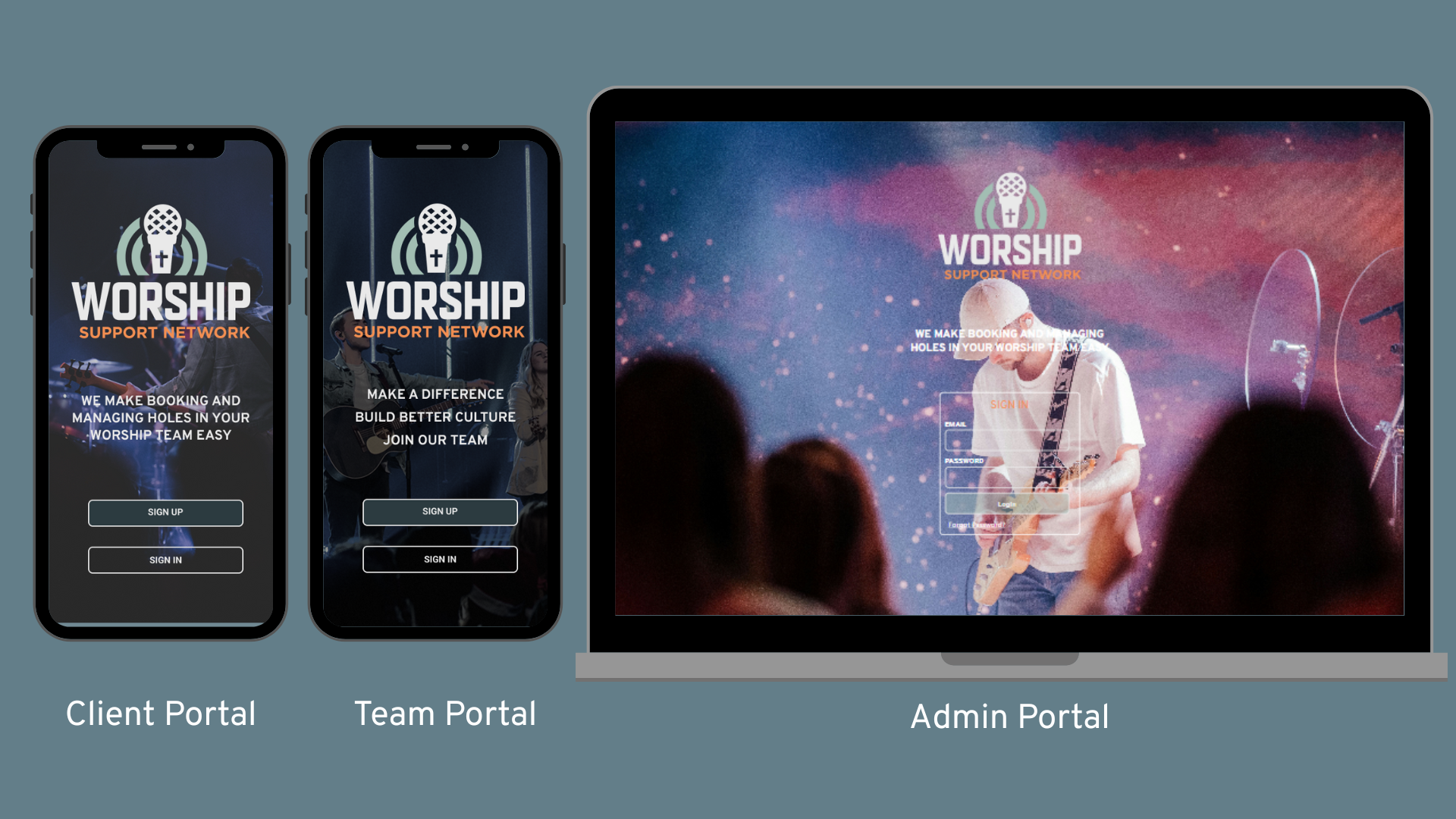
WSN needed three distinct user portals (Admin, Client, Team) and we built each one with unique permissions, workflows, and onboarding having the following unique features:
- Admin Portal: Real-time dashboards, project management, booking adjustments, notifications, blast communications, and operational queues.
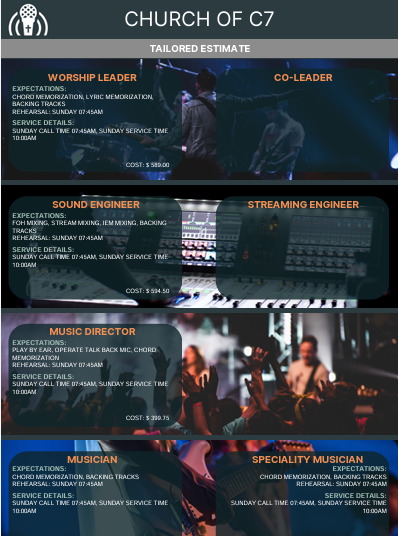
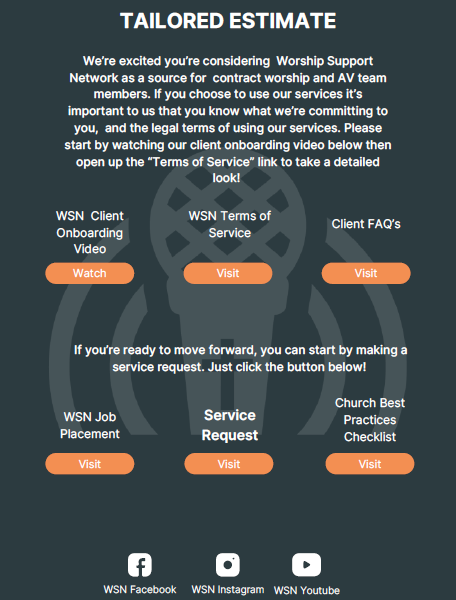
- Client Portal: Service requests, project tracking, billing, estimates, receipts, and communication history.
- Team Portal: Availability management, invitations, feedback, onboarding, HR documents, and payroll records.
Client Portal Walkthrough
This short walkthrough shows how churches use WSN to submit requests, track projects, and communicate seamlessly with coordinators — all from a simple, purpose-built client portal.
Team Portal Walkthrough
Explore how team members manage bookings, availability, and communication through a streamlined portal designed for clarity and efficiency.
High-Reliability Communications
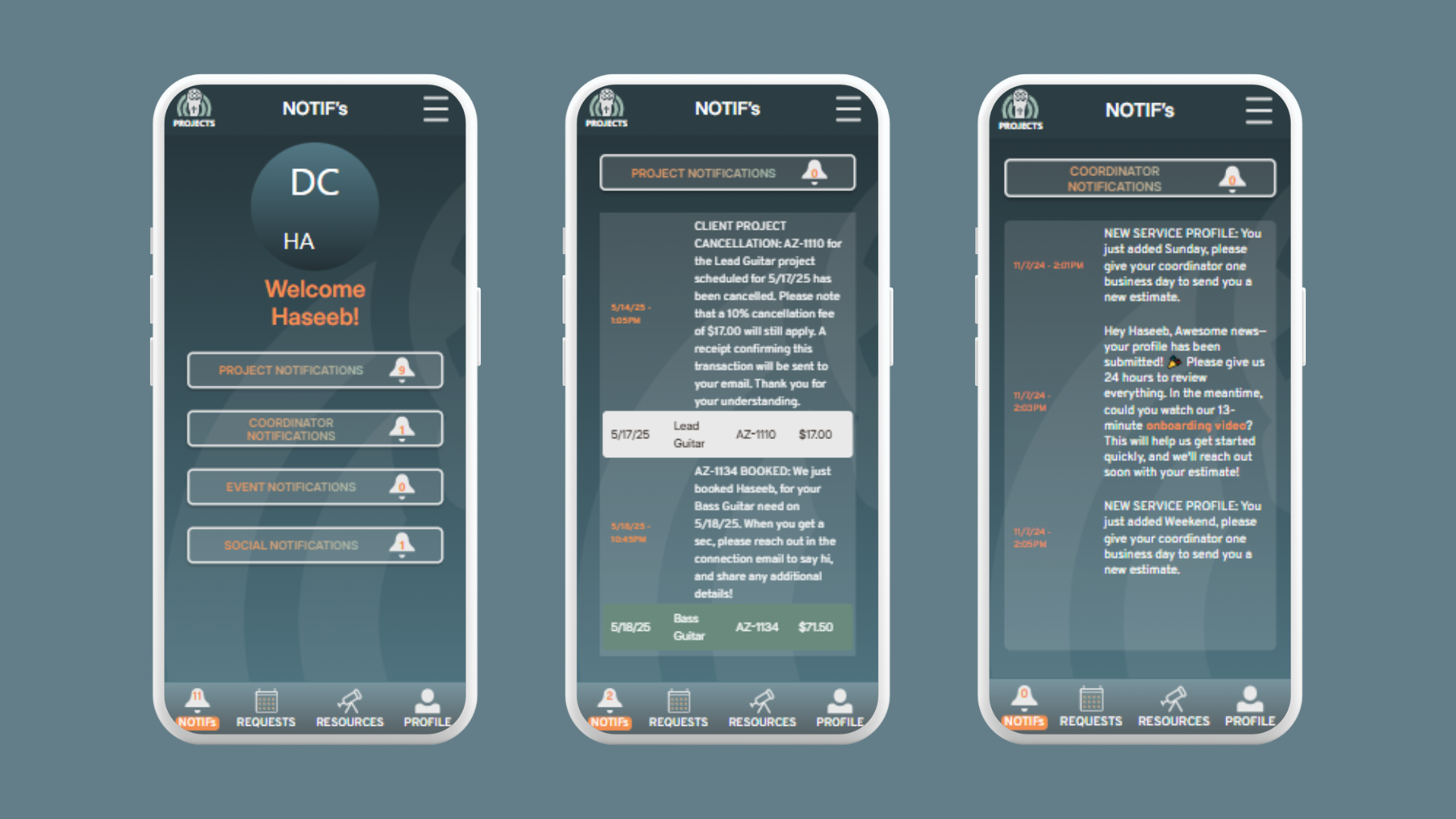
WSN relies on email, SMS, and in-app notifications to keep everyone aligned. We implemented:
- Multi-channel messaging with safeguards against duplication
- Retry logic and logging for third-party service failures
- Consistent message timing and content across platforms
E-Signature & Document Lifecycle Automation
We integrated an e-signature provider to fully automate HR workflows:
- Secure document sending and signing
- Webhook validation and status syncing
- Automatic onboarding progression once all documents are complete
- Downloadable, archived signed PDFs
Billing & Payment Data Handling
The platform safely manages sensitive billing information through:
- Validation, masking, and secure storage practices
- Controlled authorization flows
- Internal routing of billing events for follow-up
PDF Generation for Business Documents
Custom-branded PDFs (receipts, statements, contracts) were generated with:
- Consistent layouts, fonts, and branding
- Careful formatting to ensure reliability across environments
File Uploads & Media Processing
User-uploaded files are handled with:
- Secure storage paths and unique filenames
- Automatic replacement and cleanup
- Support for edge formats like HEIC/HEIF when required
Background Jobs & Time-Based Automation
We implemented scheduled jobs for:
- Reminders and invitation expiry
- Notification batching
- Time-window logic with edge-case handling (same-day cutoffs, weekly logic)
Detailed UI/UX requirements
We converted Figma designs into pixel-perfect and accurate interfaces while also incorporating accurate functionality and accommodating evolving feedback.
Our Approach
Shoretec Solutions took a systems-first, collaboration-driven approach:
- Clear separation of concerns: PHP-rendered views paired with JavaScript-enhanced interactivity for responsive, efficient UI behavior.
- Modular backend architecture: Dedicated endpoints for actions across portals ensured consistency and maintainability.
- Iterative collaboration: Regular feedback loops helped clarify edge cases, business rules, and operational workflows.
- Scalability and reliability: Automation was designed to reduce manual effort while preserving flexibility for real-world exceptions.
The Most Complex Module: Projects & Booking Engine
At the core of WSN is the Projects / Booking & Scheduling module — the most complex and impactful part of the system.
Why It Was the Hardest
- A true state machine across three portals (Client → Admin → Team)
- Role-based permissions with different outcomes at each stage
- Complex pricing logic involving markups, payouts, add-ons, discounts, and credits
- High-impact edge cases: long-term projects, double-booking prevention, late cancellations, and real-time updates to all stakeholders
- Deep integration with notifications, email, SMS, and internal Slack alerts
This module ties together business rules, financial calculations, scheduling logic, and communication triggers hence making it the most diverse module in the platform.
The Result
WSN now operates on a single, unified platform that supports growth, reduces manual effort, and delivers a smooth experience for administrators, churches, and musicians. The system is scalable, reliable, and designed around real-world operational workflows and not generic templates.
Curious how the platform looks and works in real use? These short videos from WSN walk through the new app experience for churches and team members.
Stay Connected with Shoretec — Join the Shoretec Circle
Shoretec Solutions is a fast-growing custom software development company in Canada that specializes in building custom business applications for small and mid-sized organizations. We focus on creating efficient, logic-driven systems—such as ERP, CRM, project management, and internal operations tools—that streamline workflows, improve visibility, and scale with the business.
Get updates on our latest case studies, releases & tech insights. Follow Shoretec online.
Custom CRM vs Off-the-Shelf CRM: Which Is Better for Your Business?
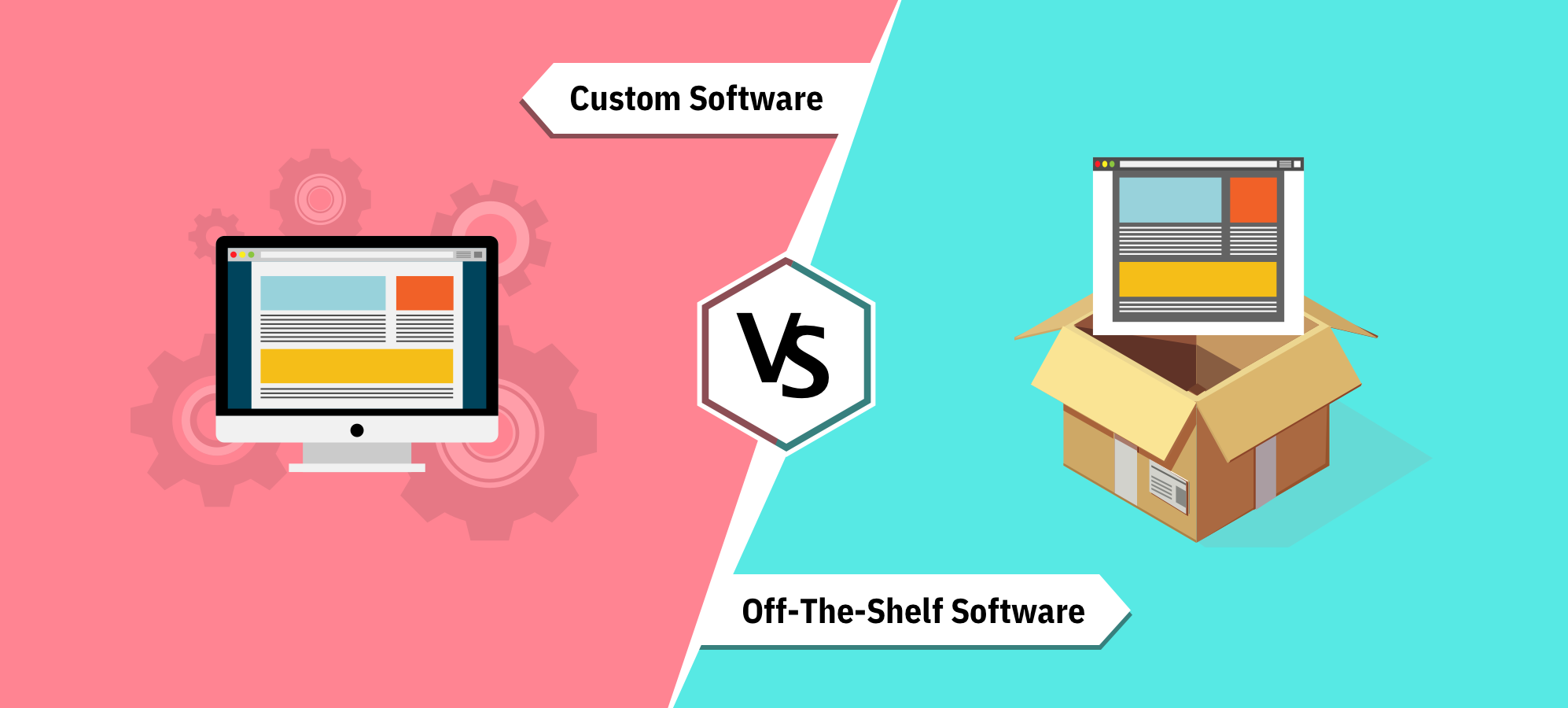
As a small business, choosing the right CRM is crucial to improving efficiency, reducing missed follow-ups, and centralizing customer communication history. There are generally two options: adopting an off-the-shelf CRM system or investing in a custom-built solution. Here’s a comparison of both approaches and why a lightweight custom CRM may be the best long-term option.
Off-the-Shelf CRM Systems
Pros:
- Low monthly cost (typically $25–65/month)
- Quick to get started, basic setup in a few days
- Includes standard features like email sync, customer history, and follow-ups
Cons:
- Limited customization—your team must adapt to the software, not the other way around
- Cluttered with features you may never use, adding complexity
- Costs increase as you grow (per-user or feature-based pricing)
- Risk of vendor lock-in—hard to migrate later if you want more control
Custom CRM Solution
Pros:
- Tailored to your exact workflow and requirements
- Simple, clean, and easy to use—only the features you need
- No ongoing license or per-user fees—you own it outright
- Scales easily: new modules and features can be added as your needs grow
Cons:
- Higher upfront cost (typically $2,000–$5,000 depending on scope)
- Requires hosting (typically $10–30/month)
- You’ll rely on a developer for updates and future changes
- Risk of vendor lock-in—hard to migrate later if you want more control
Cost Comparison (3-Year Horizon, USD)
- Off-the-Shelf CRM: ~$1,800 (approximate midpoint), plus setup costs. Ongoing subscription fees, limited customization
- Custom CRM: Starting at ~$2,000 + minimal hosting. One-time investment, fully tailored, clean interface
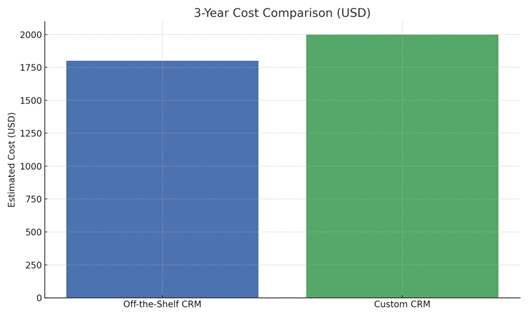
Figure: Estimated 3-Year Cost Comparison of Off-the-Shelf vs. Custom CRM (USD)
Recommendation
While an off-the-shelf CRM may appear cheaper, it often comes with compromises—a cluttered interface, features you don’t need, and workflows that don’t match how your team actually operates. A custom CRM, starting at around $2,000, ensures you get a system that is simple, clean, and built exactly for your needs. Even though the overall range for custom solutions can go up to $5,000 depending on scope, the value of a tailored system—greater efficiency, reduced errors, and a smooth user experience—makes it a better long-term investment.
Shoretec Solutions specializes in building lightweight, efficient, and user-friendly custom CRMs. If you’re tired of adapting your business to fit into generic software, let’s talk about creating a CRM that adapts to you. Visit https://www.shoretecsolutions.com to learn more.
Stay Connected with Shoretec — Join the Shoretec Circle
Shoretec Solutions is a fast-growing custom software development company in Canada that specializes in building custom business applications for small and mid-sized organizations. We focus on creating efficient, logic-driven systems—such as ERP, CRM, project management, and internal operations tools—that streamline workflows, improve visibility, and scale with the business.
Get updates on our latest case studies, releases & tech insights. Follow Shoretec online.
The “Same Server, Same Code… Different Bug?!” — A Sneaky MySQL Trigger Gotcha That Bit Our Live Site
Why a blank date crashed only on LIVE (and how baked‑in SQL_MODE inside triggers caused it)
Symptom: A harmless empty date turns fatal (but only on LIVE)
Front-end behavior: a user leaves a date blank and submits.
Expected: if no date, store “nothing” (NULL) and carry on.
Actual:
- TEST/local: request succeeds.
- LIVE: request fails with a fatal SQL error: "Incorrect datetime value: '0000-00-00 00:00:00' for column facture.Jour_j "
Same PHP. Same SQL. Same server. Same database export. Only LIVE fails.
The Rabbit Hole: It looked like a trigger or data issue… but both checked out
We checked the usual suspects:
- Triggers present? Same set on TEST and LIVE.
- Trigger bodies identical? Hashes matched (or differed in harmless ways).
- Zero-dates in source tables? None on LIVE; columns allowed NULL.
- Restoring LIVE into TEST? Everything worked fine there too.
Something invisible was different…
The Culprit: MySQL triggers bake in SQL_MODE at creation time
In MySQL, each trigger permanently stores the SQL_MODE that was active when it was created.
At runtime the trigger uses its stored mode, not the current session/global one.
Result:
- LIVE triggers were created under strict modes (e.g., NO_ZERO_DATE, NO_ZERO_IN_DATE, STRICT_TRANS_TABLES) → zero-dates are rejected.
- TEST triggers were created under a permissive mode (e.g., NO_AUTO_VALUE_ON_ZERO) → zero-dates are tolerated/coerced.
That’s why identical code/data behaved differently across DBs on the same server.
How to confirm quickly
Run this against both schemas to see each trigger’s baked-in SQL_MODE:
Why the front end made it worse (and how to harden it)
A blank form date often becomes an empty string ''. If your SQL uses Date_depart='$value', MySQL may coerce '' → '0000-00-00...' which strict modes reject.
Fix at the edge: send NULL for empty dates.
Two practical solutions
Option A — Make LIVE behave like TEST (re-bake trigger SQL_MODE)
Option B — Keep strict mode and normalize dates to NULL
- Edge (PHP): use NULL for blank dates (snippet above).
- In triggers: wrap any source date with NULLIF to collapse zero-dates to NULL before assignment: NULLIF(
, '0000-00-00') and/or NULLIF( , '0000-00-00 00:00:00').
“But I copied LIVE to TEST—why weren’t they identical?”
Because importing a dump into TEST recreates triggers under TEST’s current session SQL_MODE, not the mode they had on LIVE. You effectively “washed” the strictness during import, so the same data worked on TEST.
To make imports deterministic with the MySQL CLI:
Post-import audit:
Copy-paste checklist for your runbook
If a “simple” front-end action fails only on LIVE, check trigger SQL_MODE:
On the edge, send NULL for blank dates.
If keeping strict modes, NULLIF zero-dates inside triggers.
For parity with TEST, recreate triggers on LIVE under the desired mode.
On imports, pin SQL_MODE via --init-command and audit with information_schema.TRIGGERS.
Takeaway
From the UI, this looked trivial: submit a blank date. Under the hood it was a perfect storm of date coercion + trigger chains + baked-in SQL_MODE differences. The ultimate fix was straightforward, but finding it required looking past code/data diffs to the mode each trigger was born into. Next time LIVE behaves differently from TEST for no apparent reason, ask: “What SQL_MODE were these triggers created with?”
Stay Connected with Shoretec — Join the Shoretec Circle
Shoretec Solutions is a fast-growing custom software development company in Canada that specializes in building custom business applications for small and mid-sized organizations. We focus on creating efficient, logic-driven systems—such as ERP, CRM, project management, and internal operations tools—that streamline workflows, improve visibility, and scale with the business.
Get updates on our latest case studies, releases & tech insights. Follow Shoretec online.
How to Hire the Right Software Developer for Your Custom Software Project
Learn how to hire the right software developer by focusing on business needs, communication, experience, and long-term scalability — and avoid costly mistakes.
Whether you're planning a custom business software platform, a web application, or internal tools, choosing the right developer is critical to the success of your project.
Hiring the right developer can make or break your product. The right person builds a system that scales, stays maintainable, and supports your business goals. The wrong one creates technical debt, delays, and long-term costs that are hard to recover from.

Whether you’re hiring your first developer or expanding an existing team, here’s how to make the right decision.
1. Start With Your Problem — Not a Tech Stack
Many businesses start by asking “Should we use React, Laravel, or Node?”. The better question is “What problem are we solving?”
A strong developer will:
- Ask about your workflows and pain points
- Clarify goals, constraints, and future growth
- Recommend technology after understanding the business
If someone jumps straight to tools without understanding your needs, that’s a red flag.
2. Look for Business Thinking, Not Just Coding Skills
Great developers think in systems and outcomes, not just features.
The right developer should be able to:
- Explain technical decisions in simple terms
- Think about edge cases and long-term maintainability
- Balance speed, cost, and scalability
- Push back when something doesn’t make sense
Code is important — but judgment is what keeps projects successful.
3. Ask About Similar Projects, Not Just Experience Years
“10 years of experience” means very little without context.
Instead, ask:
- Have you built something similar to this before?
- What challenges did you face?
- What would you do differently next time?
A developer who has handled real-world complexity (users, data, permissions, payments, workflows) will save you time and money.
4. Evaluate Communication as Carefully as Technical Skill
Many projects fail due to poor communication — not bad code.
Pay attention to:
- How clearly they explain things
- Whether they ask thoughtful follow-up questions
- How they handle feedback or uncertainty
- If they document decisions and progress
You should feel confident and informed throughout the process, not confused, ignored, or left guessing.
5. Be Clear About Ownership and Long-Term Support
Before hiring, it’s important to clarify expectations around ownership and maintenance.
Make sure you understand:
- Who owns the code and intellectual property
- How updates, fixes, and changes are handled
- What happens after launch
- Whether the system can grow without rebuilding everything
The right developer builds solutions that give you flexibility, not vendor lock-in or constant rewrites.
6. Avoid Overengineering (and Underengineering)
Some developers build overly complex systems “just in case,” while others take shortcuts that fail later.
A good developer knows how to:
- Build lean, usable systems first
- Design with future expansion in mind
- Avoid unnecessary complexity
Simplicity, when done right, is a strong sign of experience and good judgment.
Final Thoughts
Hiring the right developer isn’t about finding the cheapest option or the most impressive résumé. It’s about finding someone who understands your business, communicates clearly, and builds systems that last.
At Shoretec Solutions, we focus on building clean, logic-driven business applications tailored to real operational needs — not generic templates or bloated software.
If you’re planning to build or replace a system and want to do it right the first time, choosing the right development partner is the most important step.
Stay Connected with Shoretec — Join the Shoretec Circle
Shoretec Solutions is a fast-growing custom software development company in Canada that specializes in building custom business applications for small and mid-sized organizations. We focus on creating efficient, logic-driven systems—such as ERP, CRM, project management, and internal operations tools—that streamline workflows, improve visibility, and scale with the business.
Get updates on our latest case studies, releases & tech insights. Follow Shoretec online.
Converting an MS Access database to a modern Web App
Discover how businesses can replace MS Access with a modern web app to improve performance, security, and long-term scalability.
For many small and mid-sized organizations, Microsoft Access has been a reliable tool for managing data and internal workflows. It’s quick to set up, familiar, and works well for small teams. However, as businesses grow, MS Access often becomes a bottleneck rather than a solution.
In this article, we’ll explore why MS Access struggles at scale, when it’s time to modernize, and how a structured migration to a modern web application can future-proof your operations.
Why MS Access Struggles at Scale
MS Access was never designed to support today’s demands for real-time collaboration, remote access, and long-term scalability. As usage increases, common issues begin to surface:
- Limited multi-user support leading to data conflicts
- Performance degradation as records grow
- File corruption risks in shared environments
- Difficult remote access without complex setups
- Security limitations around permissions and auditing
- Hard-to-maintain logic built into forms and macros
For organizations relying on Access to run day-to-day operations, these issues can directly impact productivity, reliability, and decision-making.
Signs It’s Time to Replace MS Access
If any of the following sound familiar, it may be time to consider a modern web-based solution:
- Multiple users experiencing lockouts or overwritten data
- Growing reliance on manual workarounds and spreadsheets
- Difficulty adding new features without breaking existing ones
- Increasing concerns about data security and access control
- Business growth that Access simply can’t keep up with
The Modern Web App Approach
Rather than trying to stretch MS Access beyond its limits, many organizations choose to migrate to a custom web application designed around their actual workflows.
A modern web app offers:
- Secure, role-based access from any device
- Centralized data with real-time updates
- Scalable architecture that grows with the business
- Cleaner interfaces tailored to how teams actually work
- Easier long-term maintenance and enhancement
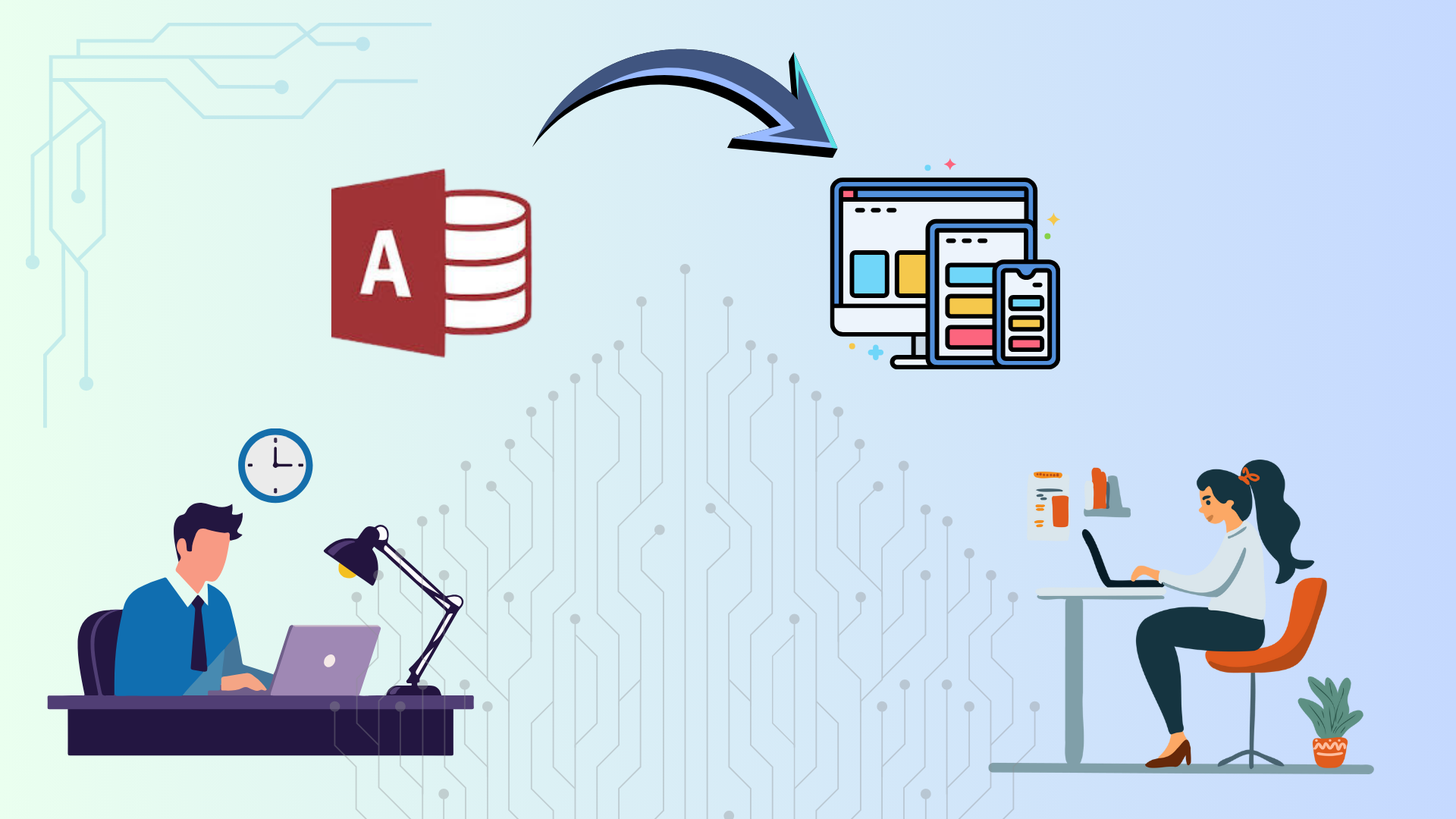
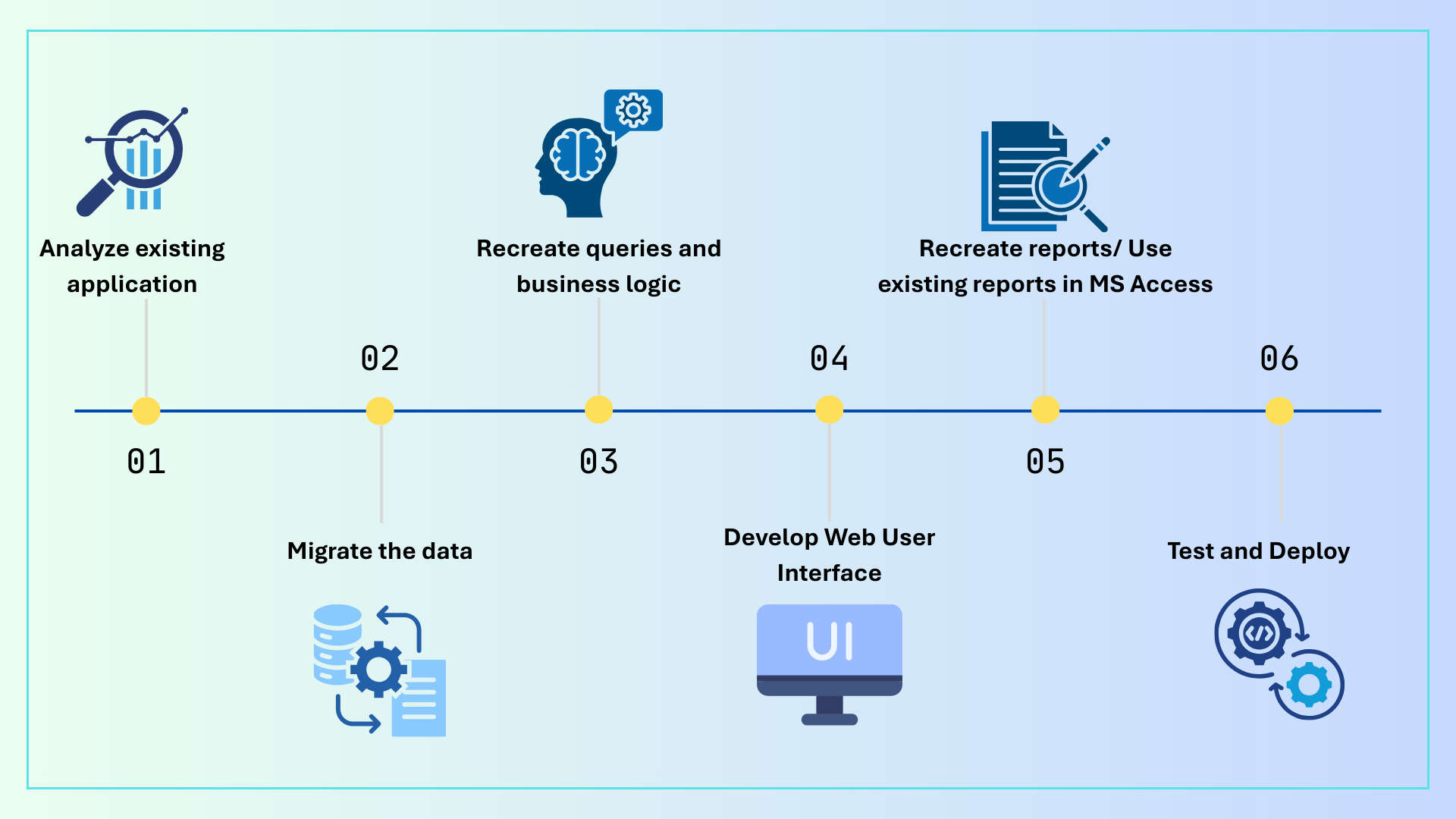
Migration Diagram: From MS Access to a Web Application
Here’s how a typical migration looks at a high level:
What This Means in Practice
In practice, migrating an MS Access application to a modern web app is not a simple “copy and paste” exercise. It’s a structured process that ensures existing data, workflows, and reports continue to work — while removing the limitations of a desktop-based system.
We start by analyzing the existing Access application, including tables, relationships, queries, forms, reports, and any embedded business logic. This helps us understand what’s critical to preserve and where improvements can be made.
Next, we migrate the data into a modern database, carefully validating records, relationships, and data integrity to ensure nothing is lost or corrupted during the transition.
Once the data is in place, we recreate queries and business logic on the server side. This is where Access macros and VBA logic are translated into scalable, maintainable backend code that can support multiple users simultaneously.
With the backend foundation ready, we develop a web-based user interface that mirrors familiar workflows while improving usability, performance, and accessibility across devices.
Existing reports are either recreated as web-based reports or reused from Access, depending on business needs — ensuring continuity for teams that rely on existing outputs.
Finally, we test the system end-to-end and deploy it, validating data accuracy, user roles, permissions, and performance before going live.
Final Thoughts
MS Access can be a great starting point — but it’s rarely a long-term solution for growing organizations. Converting an Access database into a modern web application isn’t just a technical upgrade; it’s an opportunity to streamline operations, improve reliability, and set the foundation for future growth.
About Shoretec Solutions
Shoretec Solutions specializes in building lightweight, efficient, and scalable custom business applications. From modernizing legacy systems to designing new internal tools, we help organizations move away from fragile setups toward reliable, purpose-built platforms. If your business is struggling with the limits of MS Access, we’d be happy to help you explore a smarter, more sustainable path forward.
Stay Connected with Shoretec — Join the Shoretec Circle
Shoretec Solutions is a fast-growing custom software development company in Canada that specializes in building custom business applications for small and mid-sized organizations. We focus on creating efficient, logic-driven systems—such as ERP, CRM, project management, and internal operations tools—that streamline workflows, improve visibility, and scale with the business.
Get updates on our latest case studies, releases & tech insights. Follow Shoretec online.
Custom Software Development Process: What Clients Should Expect
Understand the software development process, from planning to launch, and why bugs are a normal part of testing. Learn how we ensure quality and smooth delivery for your project.
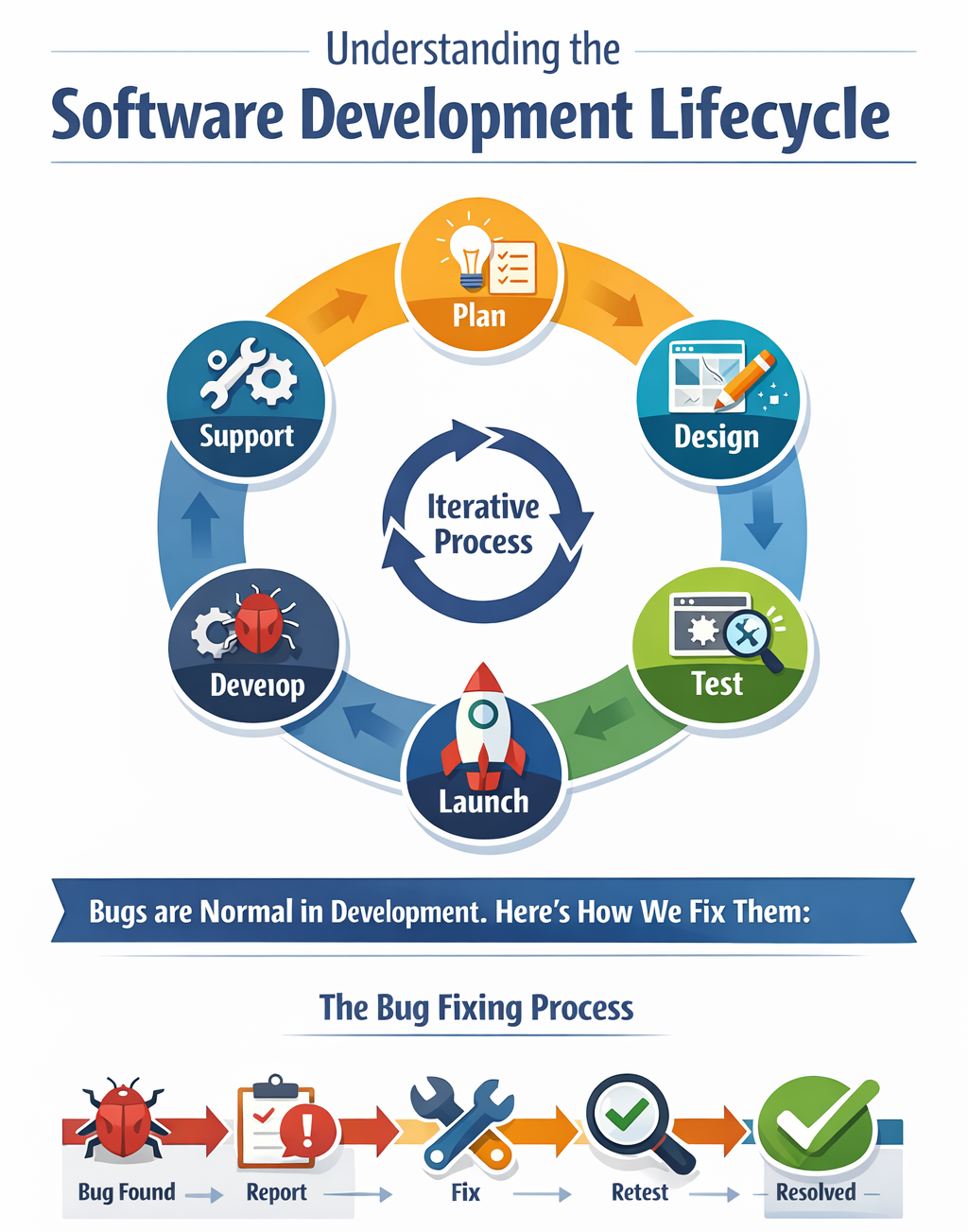
Building software is an exciting journey—but it’s also a process that involves multiple stages, collaboration, and testing. As a client, it’s normal to wonder how your project progresses, what the timeline looks like, and why you might occasionally see bugs or glitches during development.
This guide explains the typical software development lifecycle and helps set expectations so you understand what’s happening at each stage and why occasional issues are part of delivering a high-quality final product.
1. Planning and Discovery
Every successful project starts with understanding your needs. In this phase:
- We gather requirements from you.
- Identify goals, target audience, and features.
- Draft initial project timelines and milestones.
Client Takeaway:
Your input here shapes the entire project. The clearer the requirements, the smoother the next phases will be.
2. Design and Prototyping
Once we know what to build, the next step is designing:
- Wireframes and mockups for layout and user experience.
- Interactive prototypes to visualize user flow.
- Iterative feedback loops where your input shapes the design.
Client Takeaway:
Design changes are expected during this phase—think of it as fine-tuning the blueprint before construction.
3. Development / Coding
This is the “building” phase:
- Front-end and back-end development occurs.
- Integration with APIs, databases, or third-party tools.
- Features are gradually added in iterative cycles (sprints).
Client Takeaway:
At this stage, seeing some small bugs or incomplete features is normal. Development is iterative—we build, test, fix, and improve repeatedly.
4. Testing and Quality Assurance (QA)
Quality is key. Before your product launches:
- Manual and automated testing is performed to find bugs or inconsistencies.
- Functional, performance, and usability testing ensures everything works as intended.
- Identified issues are documented and prioritized for fixing.
Client Takeaway:
No software is bug-free initially. Bugs are part of refining your product, and QA ensures they’re resolved before release.
5. Launch / Deployment
After thorough testing:
- Your software is deployed to the live environment.
- Final checks ensure all systems are functioning properly.
- Training and documentation are provided if required.
Client Takeaway:
Even after launch, minor bugs may appear due to real-world usage. This is expected and handled through post-launch support.
6. Post-Launch Support and Iteration
Software is never truly “finished”:
- User feedback is collected.
- Updates and new features are planned.
- Ongoing maintenance ensures performance, security, and compatibility.
Client Takeaway:
Think of your software as evolving. Continuous improvements and occasional fixes are normal and help your product grow stronger over time.
Key Points to Remember
- Bugs are normal: They are identified and resolved during development.
- Iterative process: Building software is a step-by-step journey, not a one-step deployment.
- Communication is critical: Regular updates and feedback loops keep you informed and in control.
- Final product = polished & tested: While early versions may have glitches, the goal is a stable, fully functional release.
Conclusion
Understanding the software development lifecycle helps set realistic expectations. With your collaboration, feedback, and trust, we can ensure a smooth development process and deliver a high-quality product that meets your needs. Remember: bugs are not failures—they’re part of creating something complex, reliable, and functional.
Stay Connected with Shoretec — Join the Shoretec Circle
Shoretec Solutions is a fast-growing custom software development company in Canada that specializes in building custom business applications for small and mid-sized organizations. We focus on creating efficient, logic-driven systems—such as ERP, CRM, project management, and internal operations tools—that streamline workflows, improve visibility, and scale with the business.
Get updates on our latest case studies, releases & tech insights. Follow Shoretec online.